ProYOLO dataset

Turn your photos into a YOLO dataset

Label the objects in your photos and export YOLO segmentation labels with a classes file, ready to drop into your training folder. Labelling runs in your browser.

Drop your photo hereIt opens in the editor. Nothing is uploaded. Choose a photoJPGPNGWebPHEICPSDRAW

No photo? Try ours

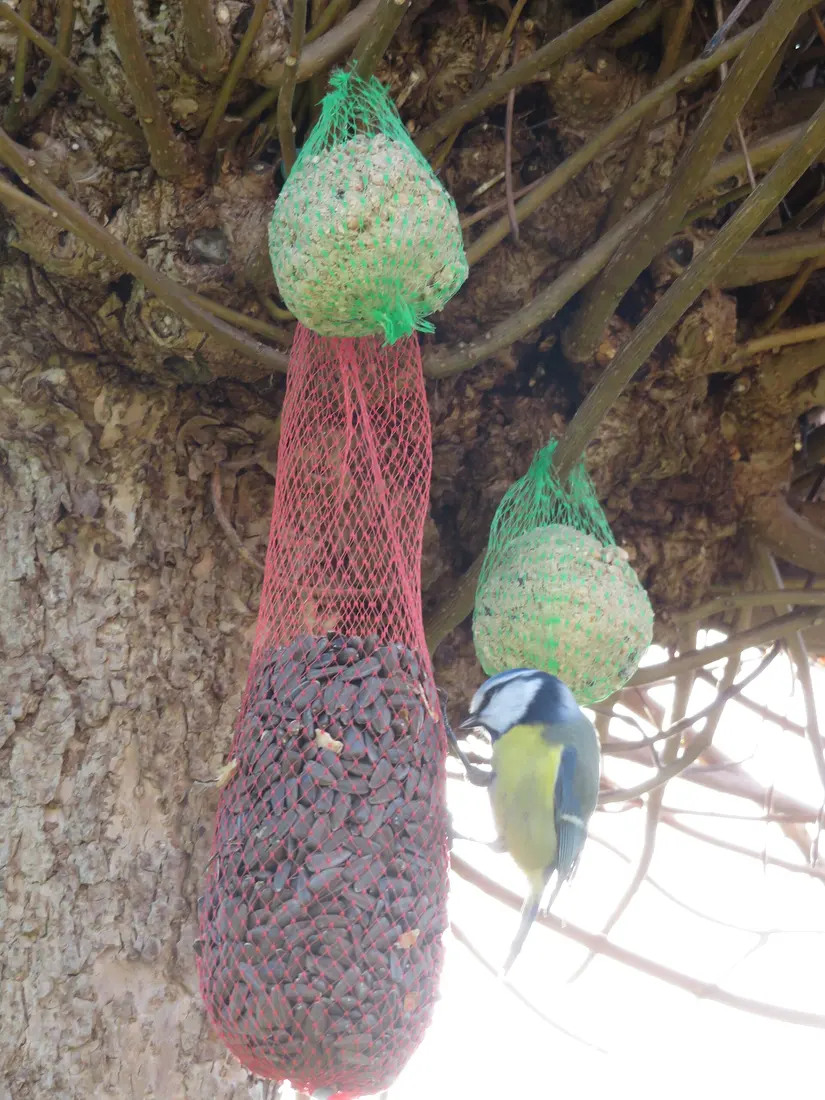
A blue tit at a feeder, with the bird, seed feeder and fat balls each outlined

classes.txt

labels/blue-tit.txt

0 0.580000 0.610000 0.630000 0.610000 0.670000 0.640000 …

2 0.370000 0.060000 0.440000 0.060000 0.520000 0.100000 …

2 0.620000 0.400000 0.680000 0.400000 0.750000 0.440000 …

1 0.360000 0.290000 0.500000 0.290000 0.520000 0.400000 …

Live demo01 / 03

02The label file

One line per object.

Each line starts with the class id, then the outline as normalised points. The class ids come from classes.txt, so a fat ball is 2 in every photo of the set.

blue-tit.txt

0 0.580000 0.610000 0.630000 0.610000 0.670000 0.640000 …

2 0.370000 0.060000 0.440000 0.060000 0.520000 0.100000 …

2 0.620000 0.400000 0.680000 0.400000 0.750000 0.440000 …

1 0.360000 0.290000 0.500000 0.290000 0.520000 0.400000 …

classes.txt

0 bird

1 seed feeder

2 fat ball

03How it works

Three steps. Seconds.

  1. 01Add your photosOpen each image you want in the dataset. Photos stay on your device.
  2. 02Label each objectSelect objects with AI select, Quick Selection, a lasso or the Pen, and give each one a class.
  3. 03Export the ZIPOpen File ▸ Export, tick YOLO, and download one ZIP with the label files and classes.txt.

04Why CutLift

Built to be the best one

  • YOLO segmentation labelsOne line per polygon: the class index, then normalised x and y coordinates around its outline (Pro).
  • Same ids in every photoYour class list carries over from photo to photo, so each class keeps its number in every label file and classes.txt (Pro).
  • Also COCOExport COCO JSON from the same labels if your training pipeline expects it (Pro).
  • Nothing uploadedLabelling and dataset export run in your browser, so private datasets stay on your computer.

This is a CutLift Pro feature: $7.99/month plus tax where it applies, cancel anytime. Use it free while you edit; your first premium download is free.

05The guide

From ZIP to training run

What the YOLO export is

CutLift exports YOLO segmentation labels: each line is a class index followed by the normalised x and y points of one polygon. That is the format YOLO segmentation models train on. Coordinates are divided by the photo’s width and height, so they run from 0 to 1 and stay valid when the image is resized for training. It does not write the box-only detection format. If you need boxes, the COCO JSON export holds a bounding box for every object, and a box can also be read from each polygon’s minimum and maximum points.
Building the folder

Each photo is exported on its own, as a ZIP with labels/photo-name.txt and a classes.txt. The label file takes the photo’s name, so the pair matches without renaming. To build a YOLO dataset from images, collect the label files in one labels folder, put the matching photos in an images folder with the same names, and split both into train and val sets. Your training tool also needs a small dataset file listing those folders and the class names; you write that yourself.

Class numbers that stay the same

Your class list carries over to the next photo, and to your next visit, so “person” is the same number in every label file and every classes.txt matches. The export window shows the ids before you download. Adding to an existing dataset? Choose Load class list in the class bar and pick its classes.txt, data.yaml or COCO JSON: its order comes first, so new labels line up with the old ones.

The class bar keeps names consistent, and number keys 1 to 9 apply a class to the selected objects. Objects without a class are left out of the YOLO file, so nothing lands under the wrong number.

Pro, with a free try

The YOLO dataset maker is a CutLift Pro export, at $7.99 a month or $47.99 a year. Every account gets one free premium download, enough to check that the labels load in your training pipeline before you pay. AI select (Pro), Quick Selection, the lassos and the Pen all produce outlines that export the same way. Mask PNGs stay free. Labelling and export run in your browser, so the photos in your dataset are never uploaded.

06Questions

Good to know

Is the YOLO dataset export free?

YOLO export is a CutLift Pro feature. Every account gets one free premium download to try it. Mask PNGs stay free.

Turn your photos into a YOLO dataset

Free to start. Your photo never leaves your device.

Open the editor

49 more tools

Keep going