FreeText remover

Erase text from a photo

A date stamp, a sign you do not want, a caption or a logo: paint over the text and CutLift fills the area so the photo looks as if it never had any. Free, and your photo never leaves your device.

Drop your photo hereIt opens in the editor. Nothing is uploaded. Choose a photoJPGPNGWebPHEICPSDRAW

No photo? Try ours

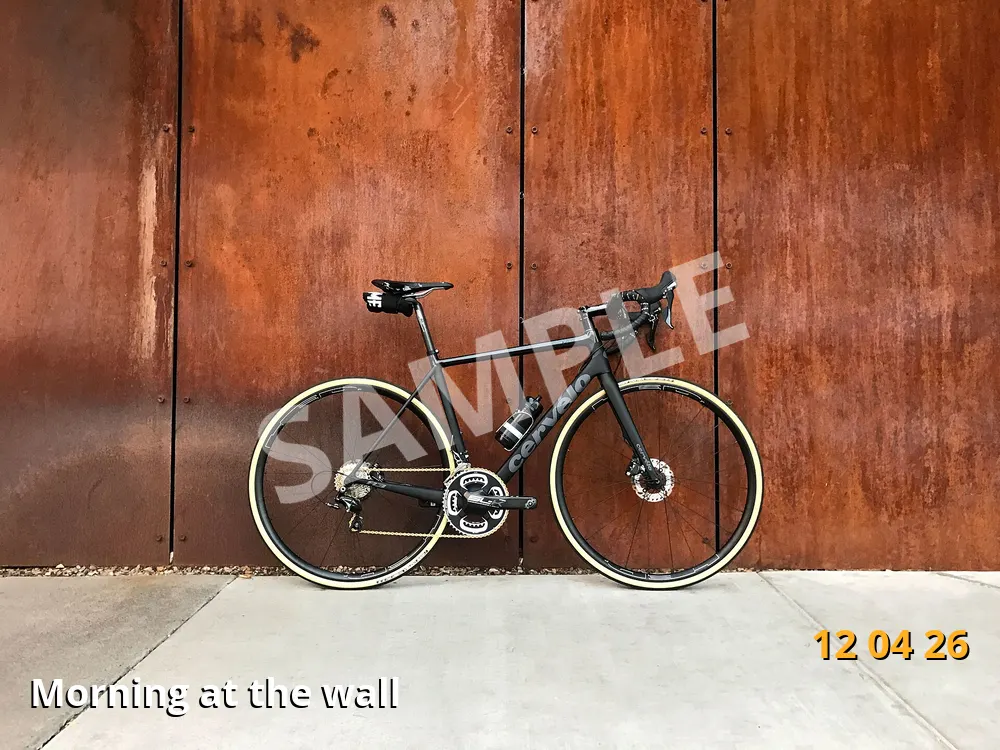
A bicycle against a rusty wall with a date stamp, a caption and a watermark
Tape over the date stampTape over the captionTape over the watermarkText on the photo
Live demo01 / 05

01Three kinds of text

Erase them one by one.

Each piece of text is its own job. Paint the date stamp, the caption or the watermark, press Enter, and only that text goes. Anything you want to keep stays put.

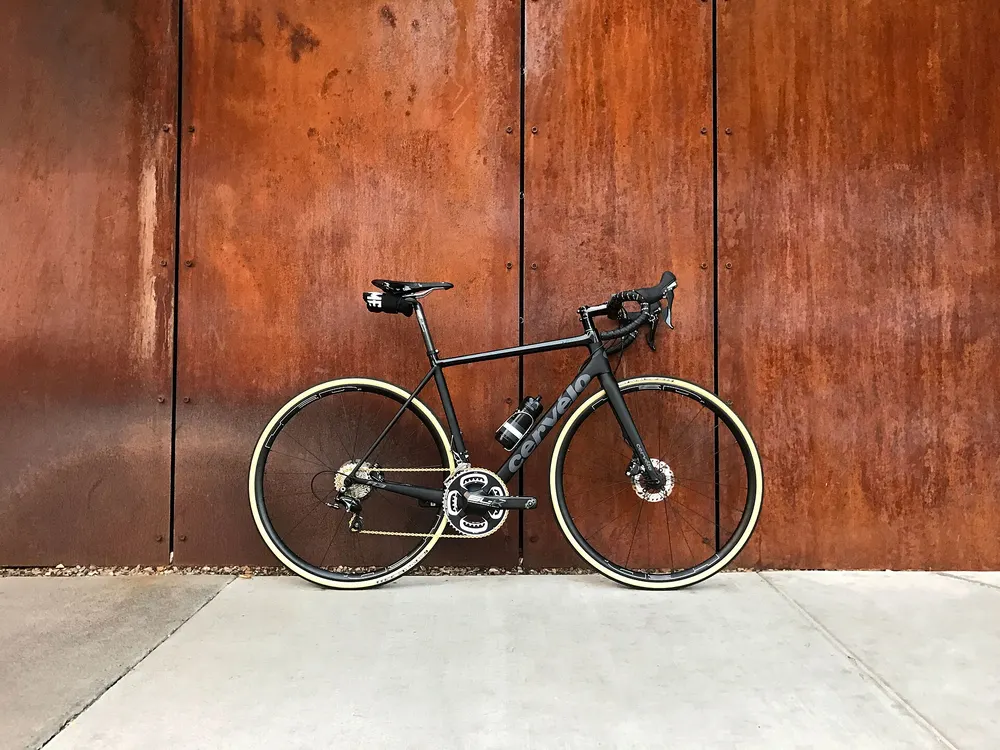
The clean wall, with the text removed12 04 26Morning at the wallSAMPLE

3 of 3 still on the photo. Generative fill (Pro) fills a busy background.

Live demo01 / 04

03How it works

Three steps. Seconds.

  1. 01Open the imageAny JPEG, PNG or WebP photo, or a screenshot with text on it.
  2. 02Paint over the textCover the words with the brush, leaving a little margin around the letters.
  3. 03Let goThe gap is filled from the surrounding pixels as soon as you let go. Keep painting or save your work.

04Why CutLift

Built to be the best one

  • Dates, signs and logosDate stamps, street signs, price tags and logos: paint them and remove them.
  • Several lines at onceHold Shift to paint more than one block of text, then press Shift + Enter once.
  • Generative fillWhen the background behind the text is complex, fill the selection with new, matching content (Pro).
  • PrivateThe AI runs on your device, so the image is never uploaded.

Free and unlimited. CutLift Pro adds batch processing, upscaling, sky replacement and studio exports for $7.99/month.

05The guide

Erase the words

Common reasons to remove text

An old camera’s orange date stamp in the corner, a caption burned into a meme, a price sticker on a product, a street sign that distracts from the view, a name tag in a team photo: all are text you may want gone. Removing words from a picture also helps when you want to reuse an image or translate the text on it and need a clean area to type on.

Only erase a watermark or logo from images you own or have the rights to use.

Screenshots are a common case too: hide a name, a phone number or a message preview before you share an image. Because the editing happens on your device, the original text is never sent anywhere.

Tips for clean results

Include a small margin around the letters, as well as any outline, shadow or glow the text has. Thin, crisp text on a plain area such as sky or a wall usually disappears in one pass. For a long caption over a varied scene, erase text from the image one line or one word at a time, so each fill has more real background to work from.

Small leftovers can be cleaned with the Spot Healing Brush, which needs no source. Where text crossed an edge, such as a horizon or the corner of a building, the Clone Stamp lets you rebuild that line exactly.

Adding new text afterwards

Once the old words are removed, the Text tool (press T) lets you type a new caption, a translation or a corrected price on the same spot. Click to type, or drag to make a text box. Generative fill (Pro) in the Edit menu helps when the area behind the old text was a pattern or a detailed scene.

Text on a solid colour, such as a banner or a button in a screenshot, often comes out cleanest with the Clone Stamp, copying a clean part of the same colour over the letters.

Free, unlimited and private

This text remover works on JPEG, PNG and WebP photos and screenshots, and Remove object is on the free plan. Every step can be undone. The image stays on your device the whole time, which matters when the picture is a screenshot of something personal.

06Questions

Good to know

Is removing text from an image free?

Yes. Remove object is on the free plan, so you can erase as much text as you need.

Erase text from a photo

Free to start. Your photo never leaves your device.

Open the editor

49 more tools

Keep going